INVITE-ONLY EARLY ACCESS
Built for small and growing trucking companies
From dispatch to invoice, without entering the same load twice.
CargoRoute is a TMS for carriers that run their own trucks. Enter a load once, and the same record carries it through dispatch, the driver's phone, documents, billing and settlement. Nothing is retyped, and no load is billed before its paperwork is approved.
CargoRoute is currently available by invitation while we onboard our first carriers.

The problem
Stop running your operation across five different tools.
Most small fleets run on a patchwork that works until the day it does not: a load gets typed three times, a POD sits in somebody's texts, and billing waits on a phone call.
Today
A spreadsheet for loads
Typed in for dispatch, then typed again for the invoice.
Texts and calls with drivers
Where the load is lives in a thread one person can see.
A whiteboard for dispatch
Who is on what, as of the last time someone updated it.
Email and folders for PODs
Found when someone goes looking, usually after the customer asks.
Billing typed in somewhere else
Rates and load numbers copied by hand onto every invoice.
With CargoRoute
One load record, from booking to settlement
Dispatch
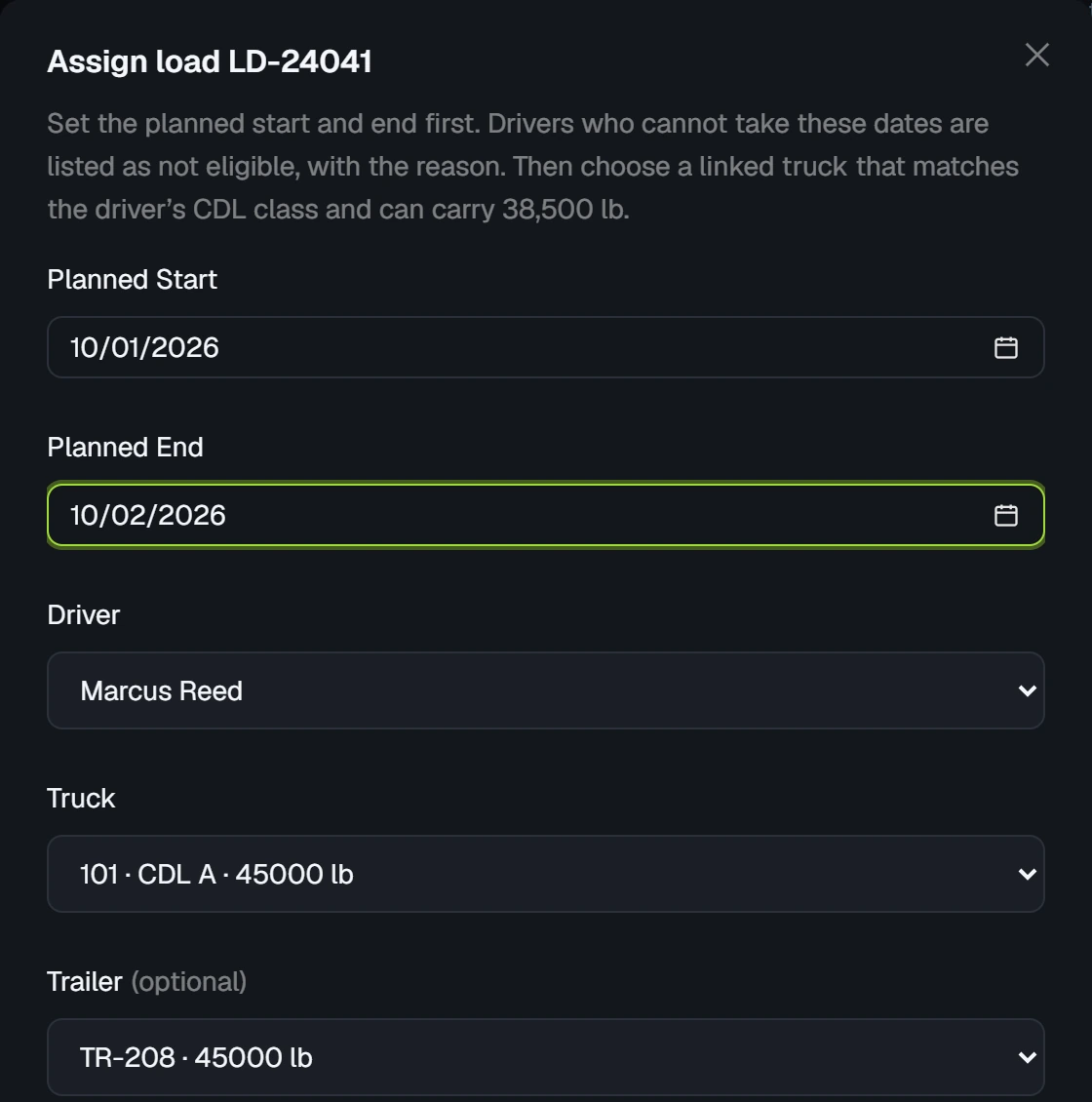
Driver, truck and trailer are assigned on the load.
Driver
Works it from a phone's browser, one step at a time.
Documents
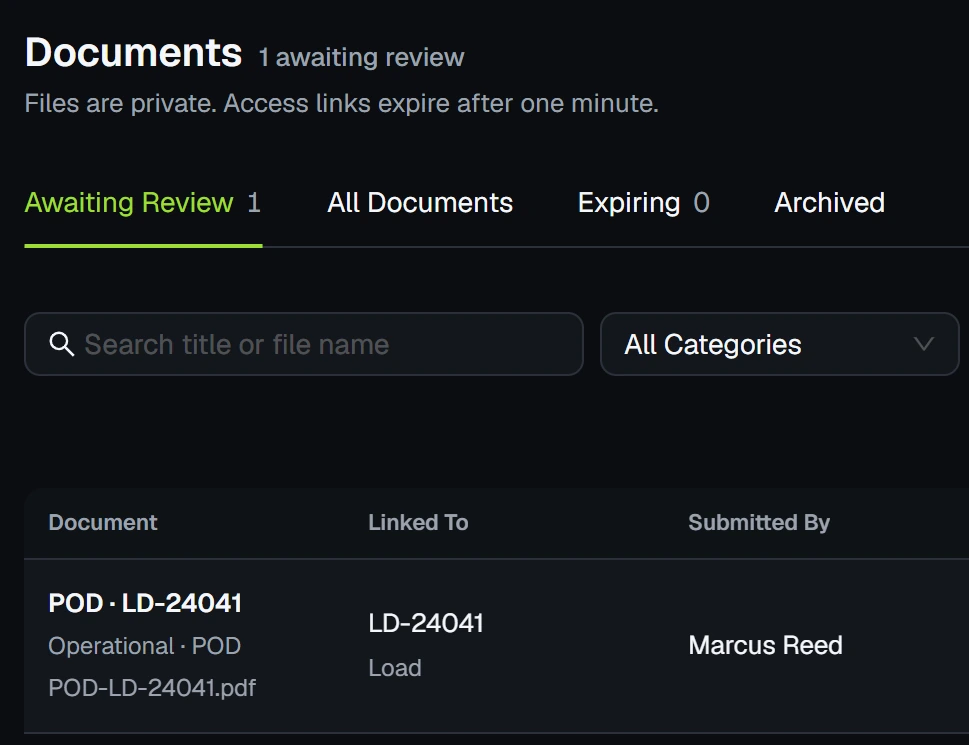
The POD comes in from the driver and the office approves it.
Billing
The invoice is prefilled from the load. Payments are recorded against it.
Settlement
Driver pay comes from the loads that were delivered.
Where it stops: CargoRoute covers the work before your books. Who hauled what, what was delivered, what was billed and what is still owed. It is not an accounting package and it does not try to replace yours.
Loads & dispatch
From booked to delivered, without the whiteboard.
Every load, who is on it and what still needs a driver, in four views a dispatcher will recognize.
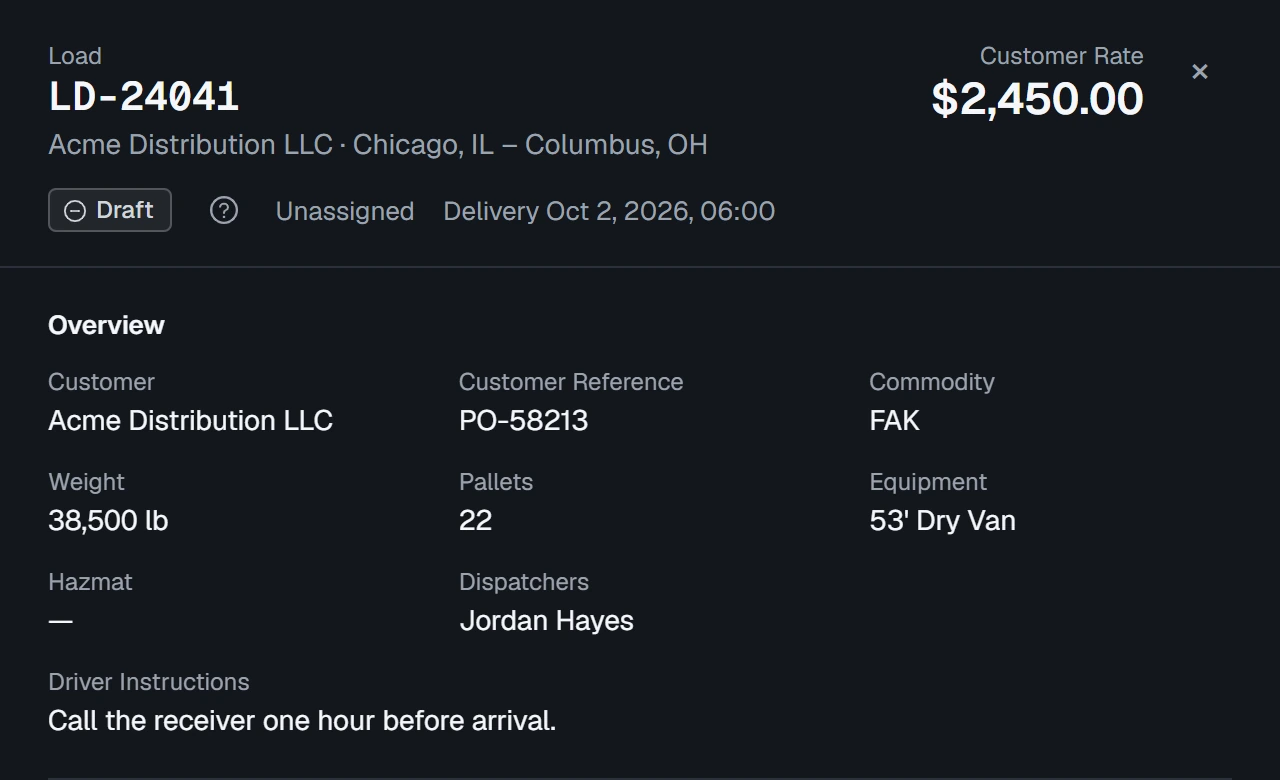
Every load, with both of its statuses, in one list
Each load in progress with its route, appointments, driver and truck, and status.
- Multi-stop loads with exact, window, FCFS or TBD appointments
- Operational and billing status side by side
- Filter by customer, driver, status or pickup date


For drivers
The driver's side fits on a phone.
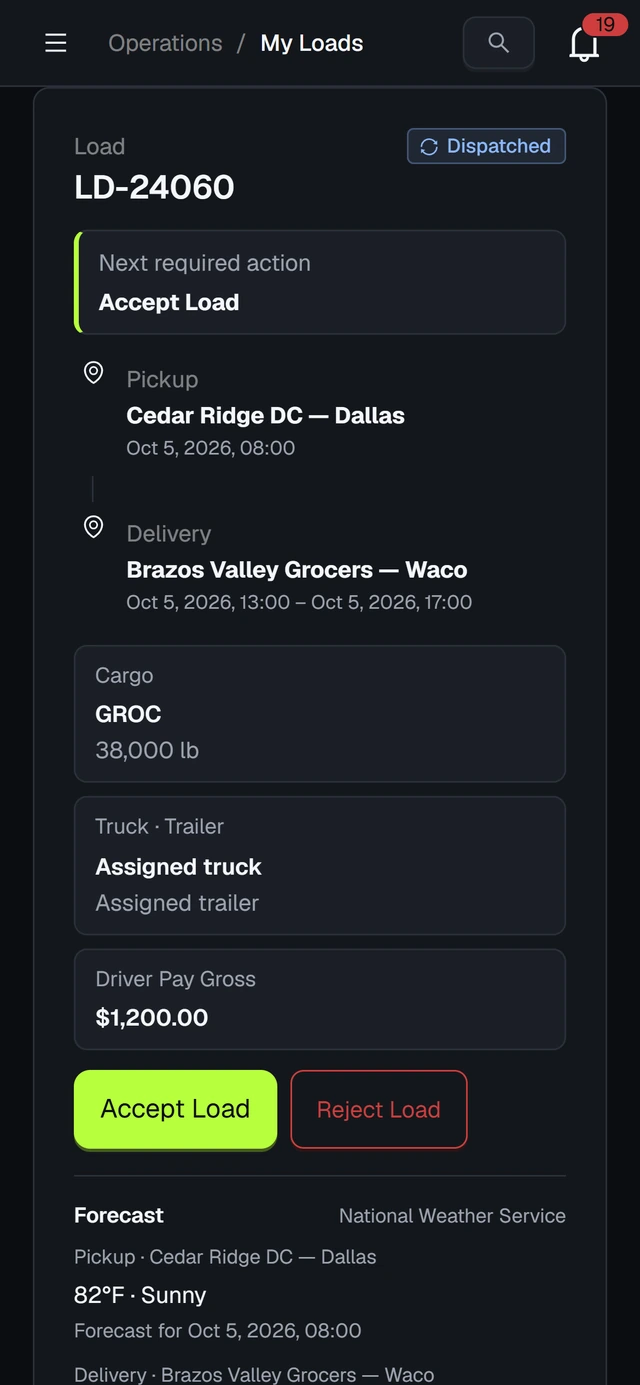
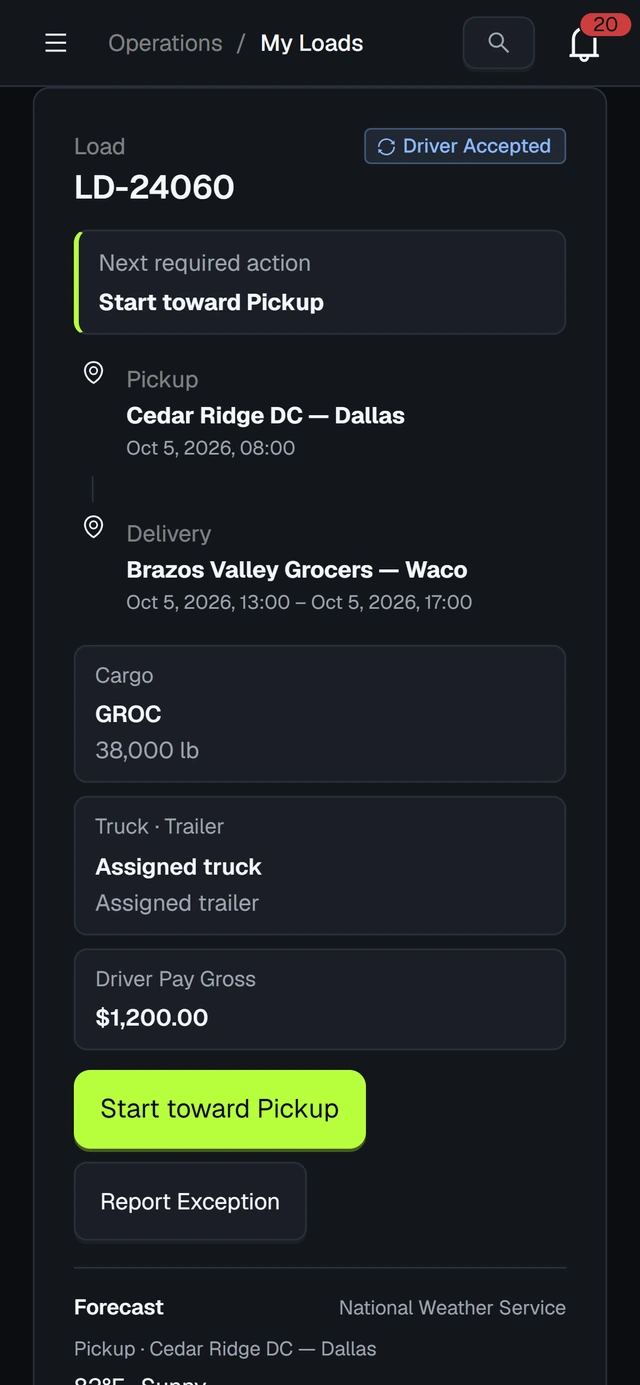
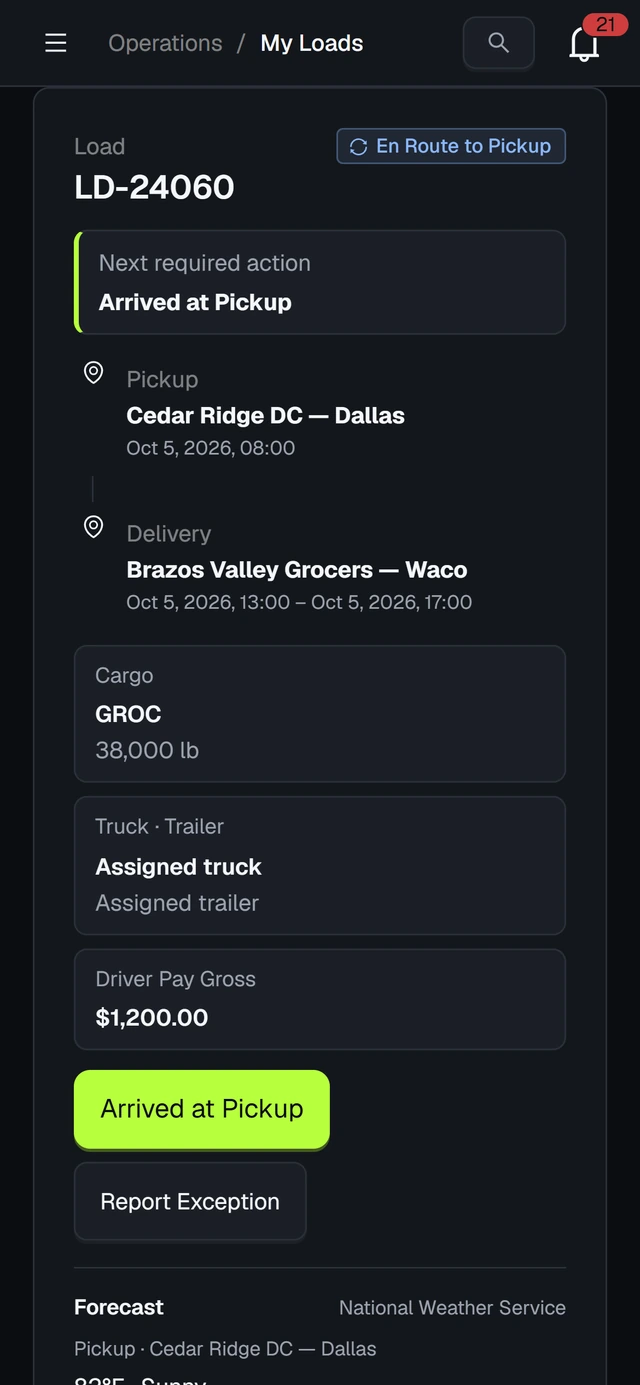
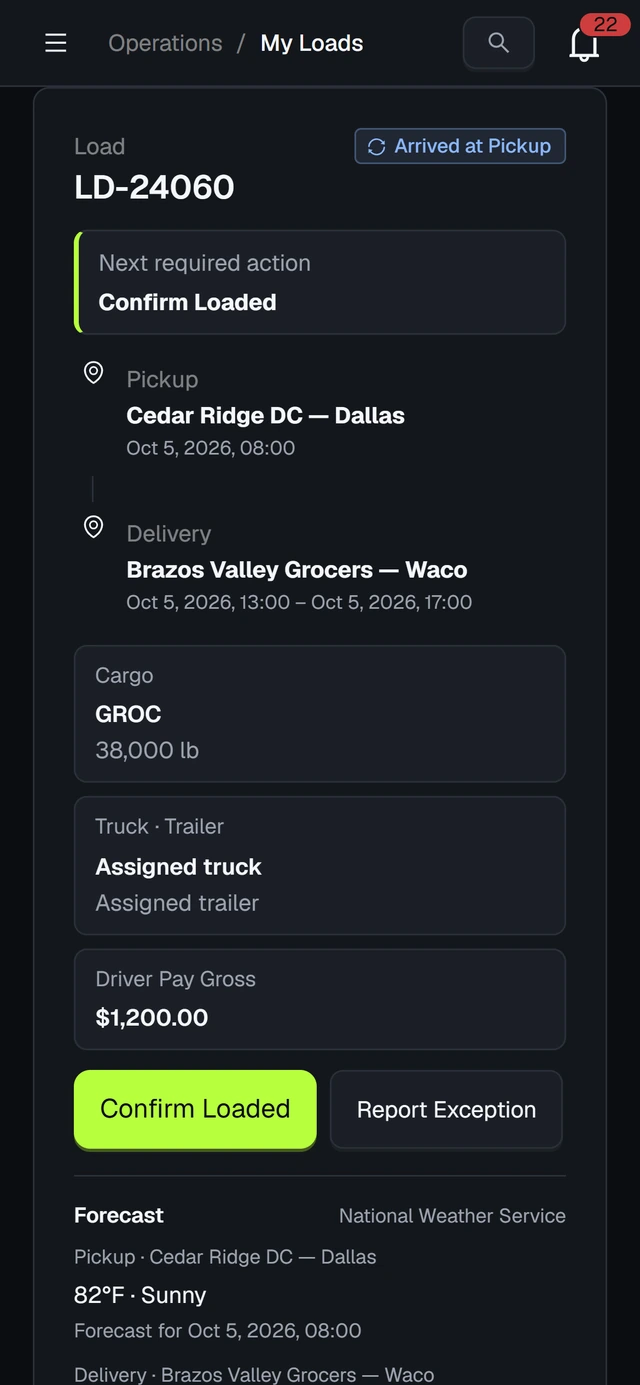
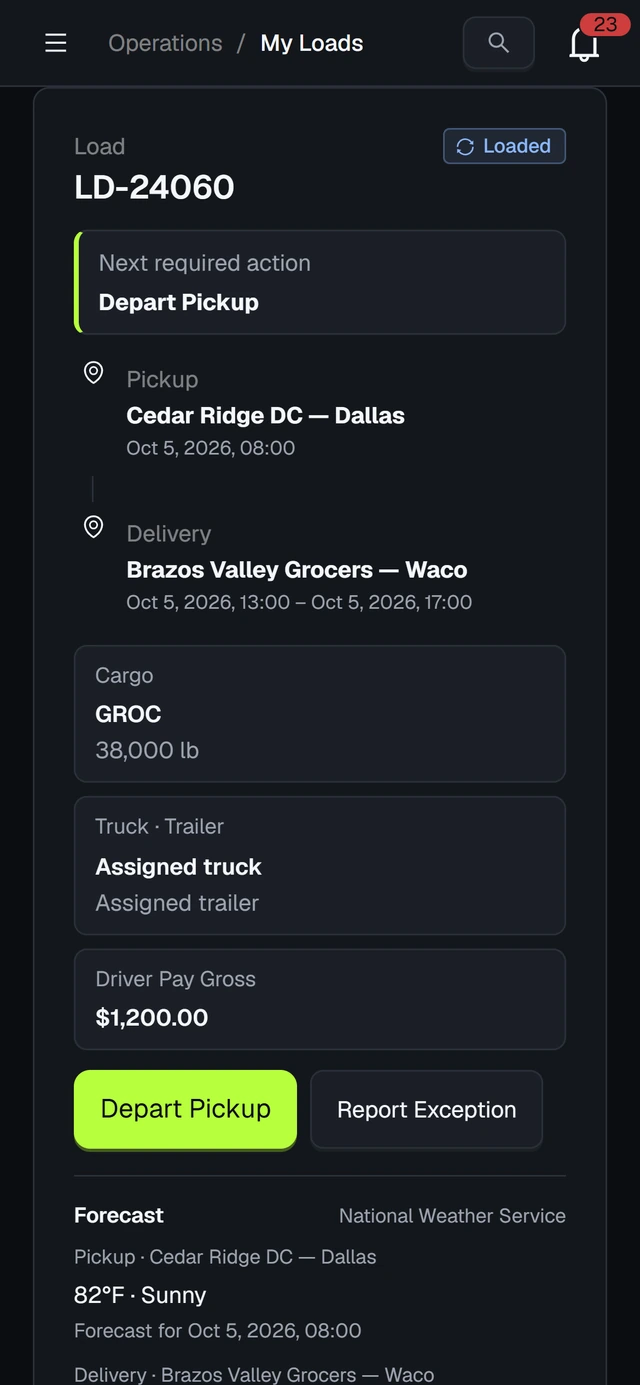
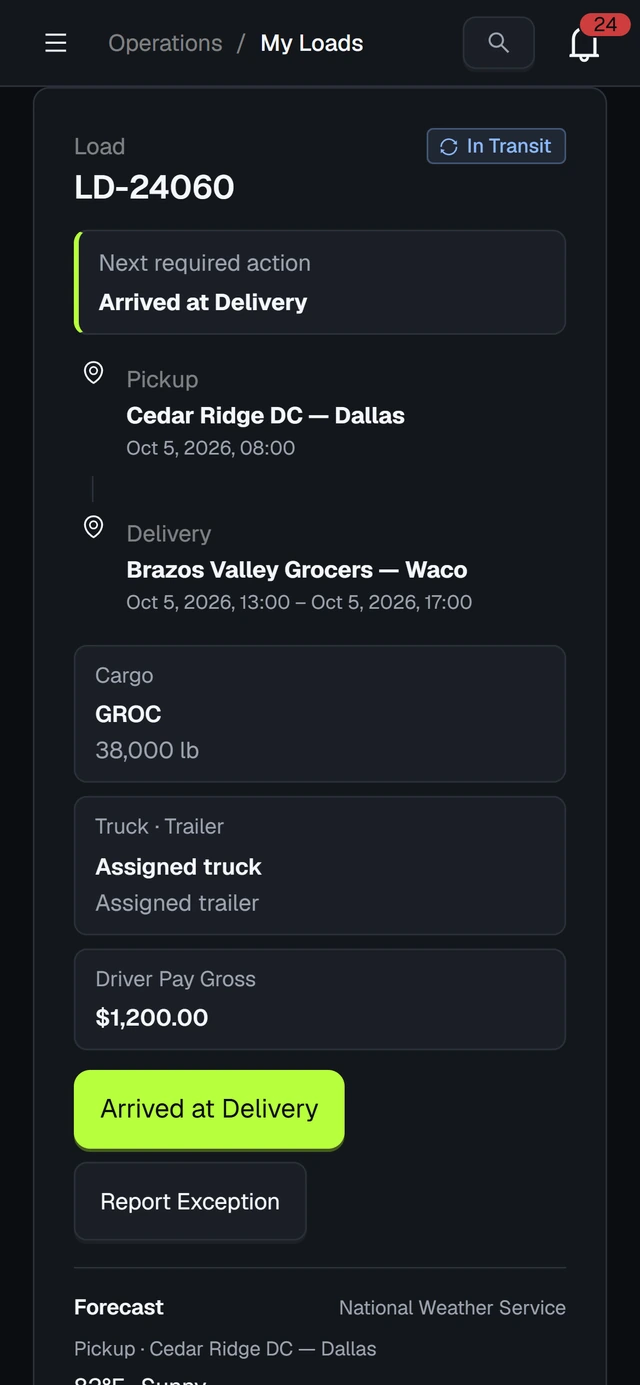
Drivers sign in from their phone's browser and see only their own work. Each load shows one next step, and there is no app to install.
A load, step by step
Step 1 of 8: Accept Load
Accept Load
The driver agrees to run the load, or rejects it with a reason.
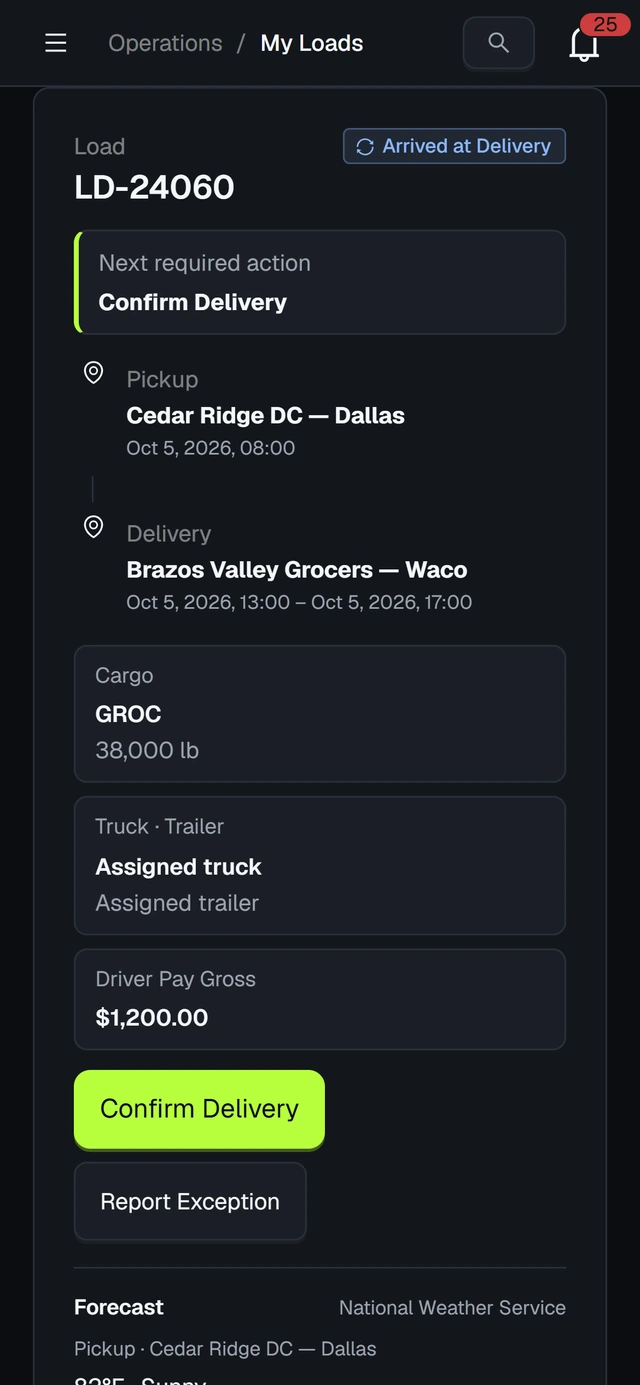
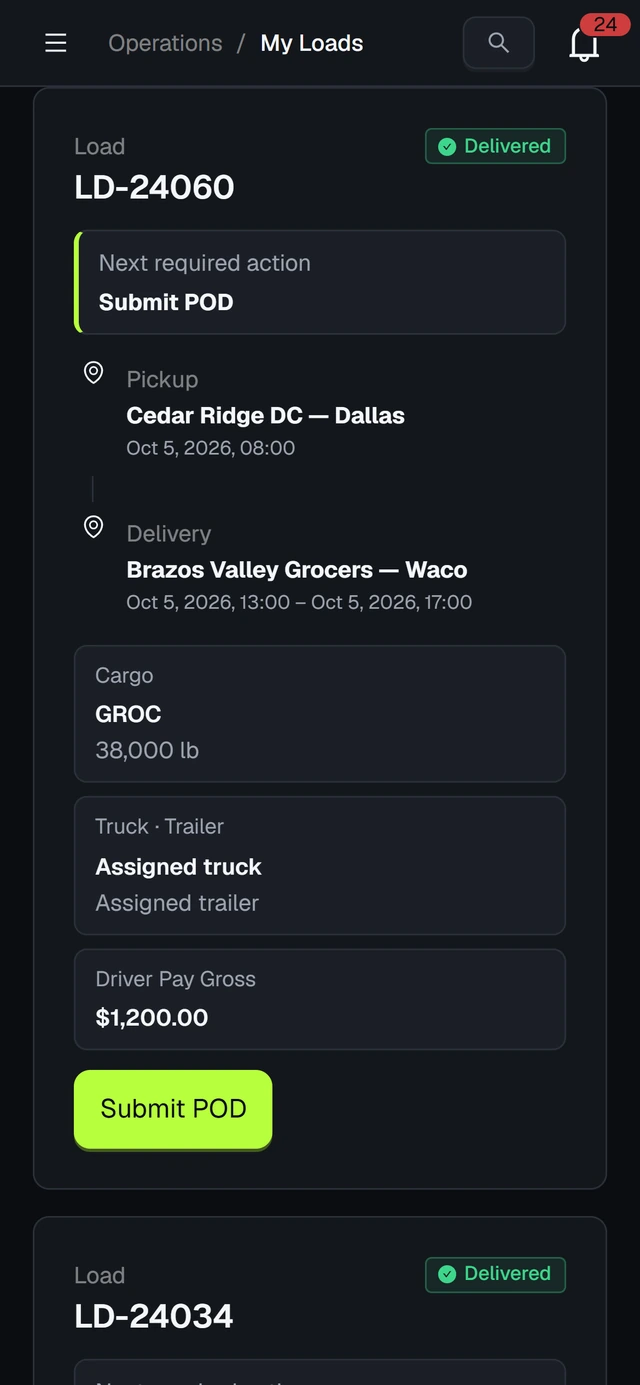
- Submit the signed POD as a photo or a PDF
- Send fuel, toll and expense receipts for review
- Report a delay, a breakdown or an incident
- Never sees customer rates or other drivers
Billing & settlements
Billing picks up where dispatch leaves off.
A delivered load becomes an invoice, a payment and a settlement, with fuel and tolls landing where they belong. Five views follow the money.
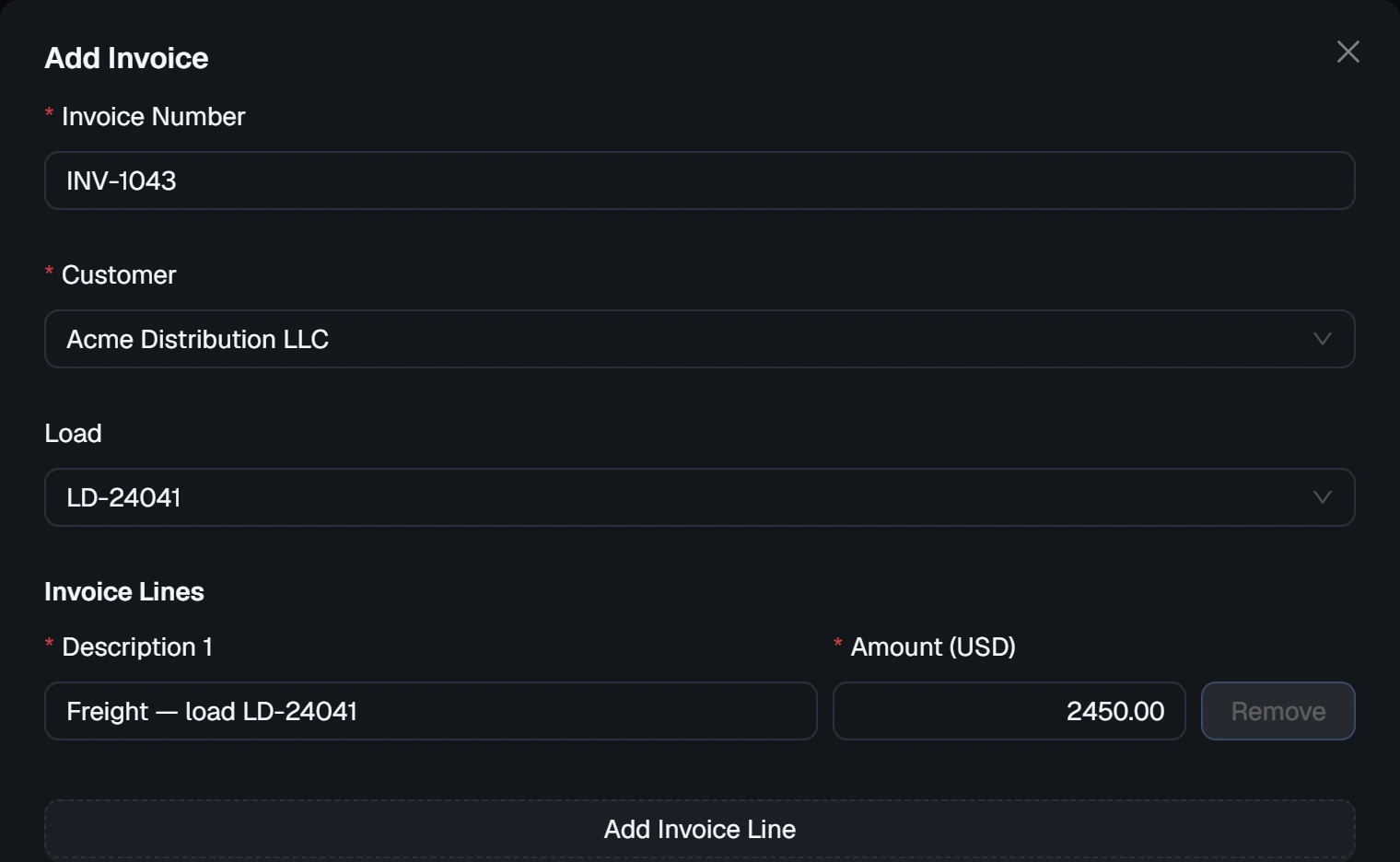
Bill a delivered load without retyping it
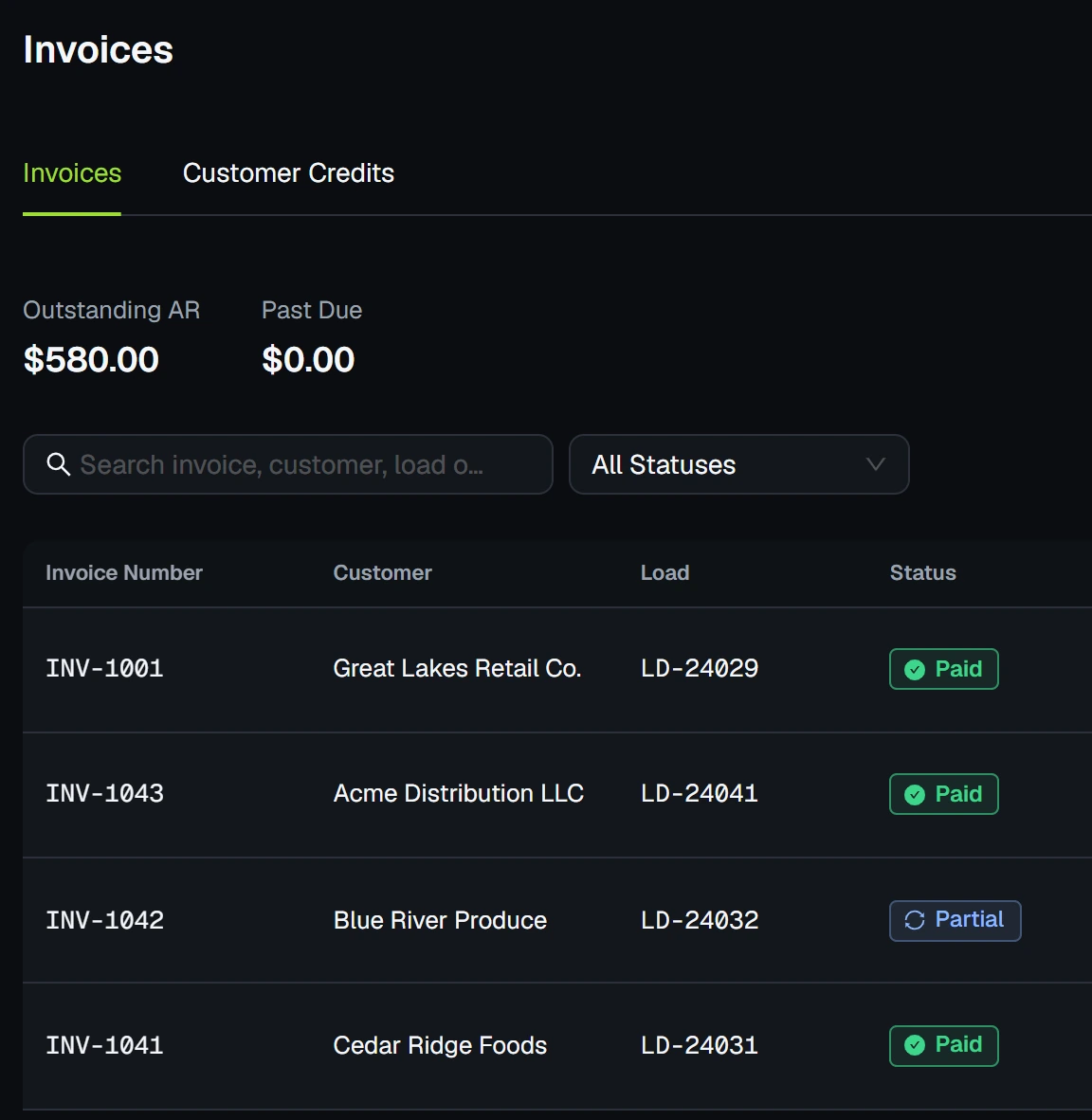
Prefilled with the customer, the load and the rate. Outstanding and past-due receivables sit at the top.
- A load is billable once its documents are approved
- The PDF carries your company's name, logo and accent color
- Correct an issued invoice by void and reissue

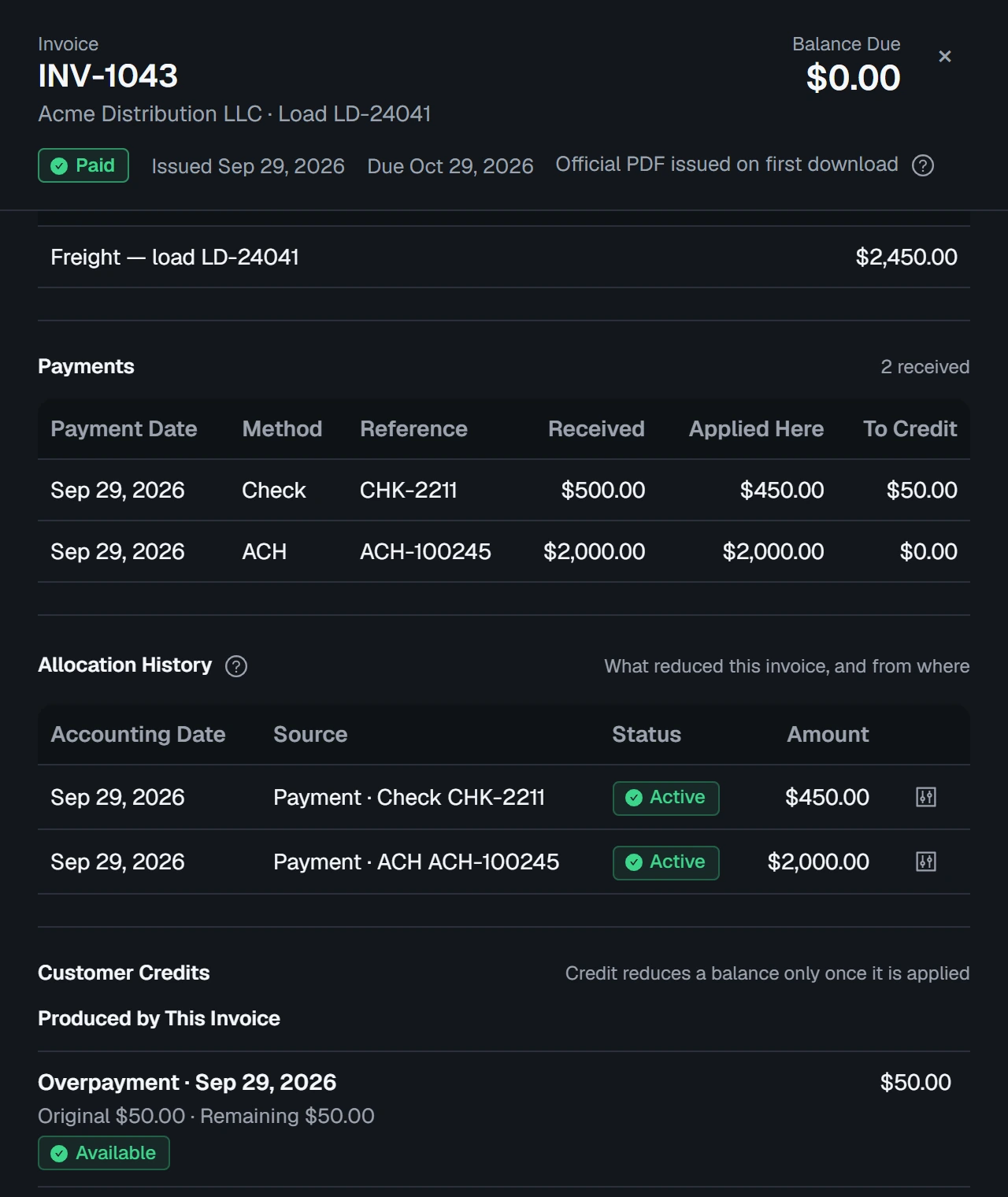
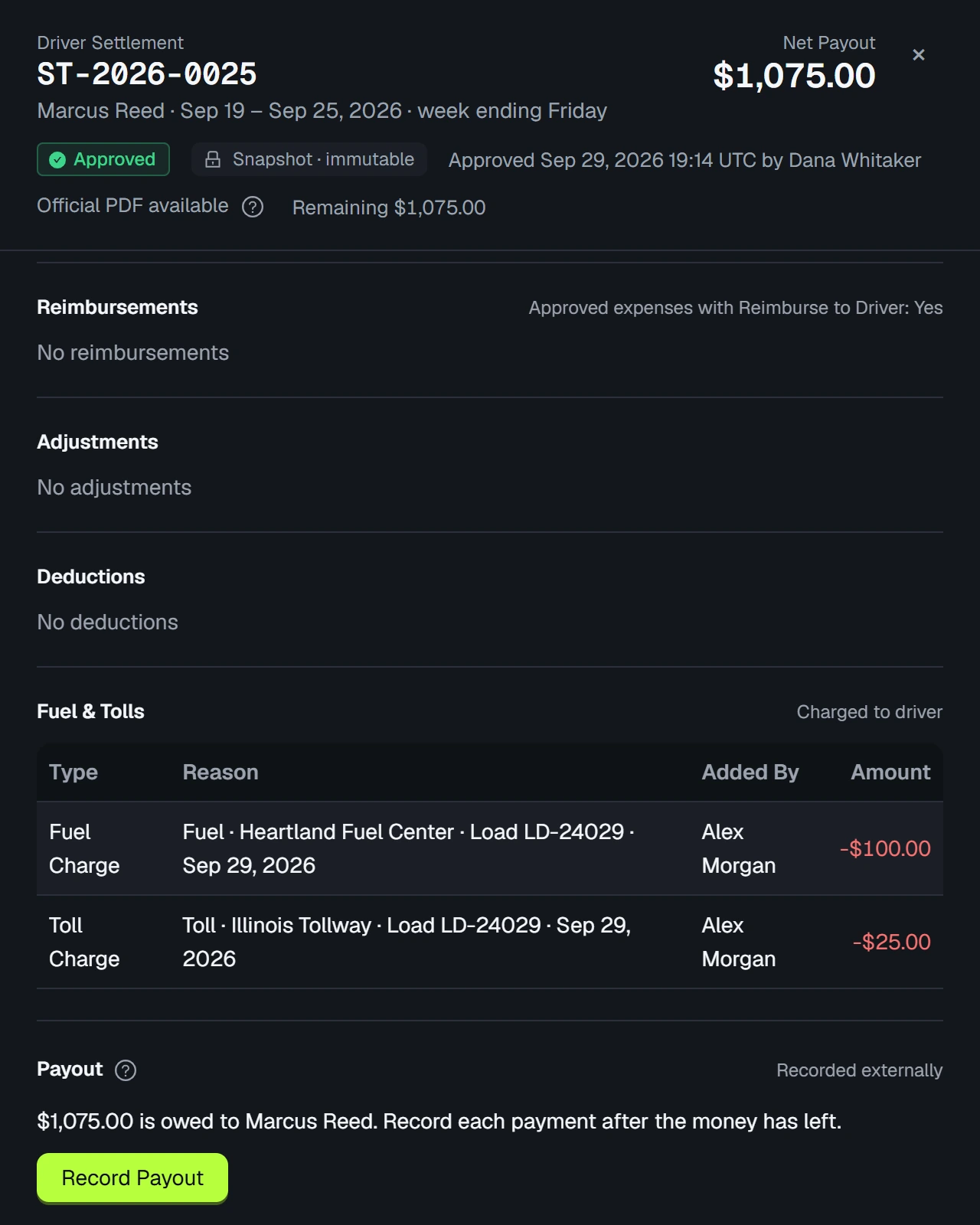


CargoRoute records money that has already moved. It does not process payments, run payroll or withhold taxes.
How it works
One path from customer to settlement.
Seven steps, each often done by a different person. Step through them.
Step 1 of 7: Customer
Step 1 · Office
Customer
Add the shipper or broker once. Its contacts and locations are reused on every load.


Who it's for
One workspace. Five ways in.
Everyone signs in to the same workspace. Each role sees only what its job needs. Choose a role.
The whole business
Owner
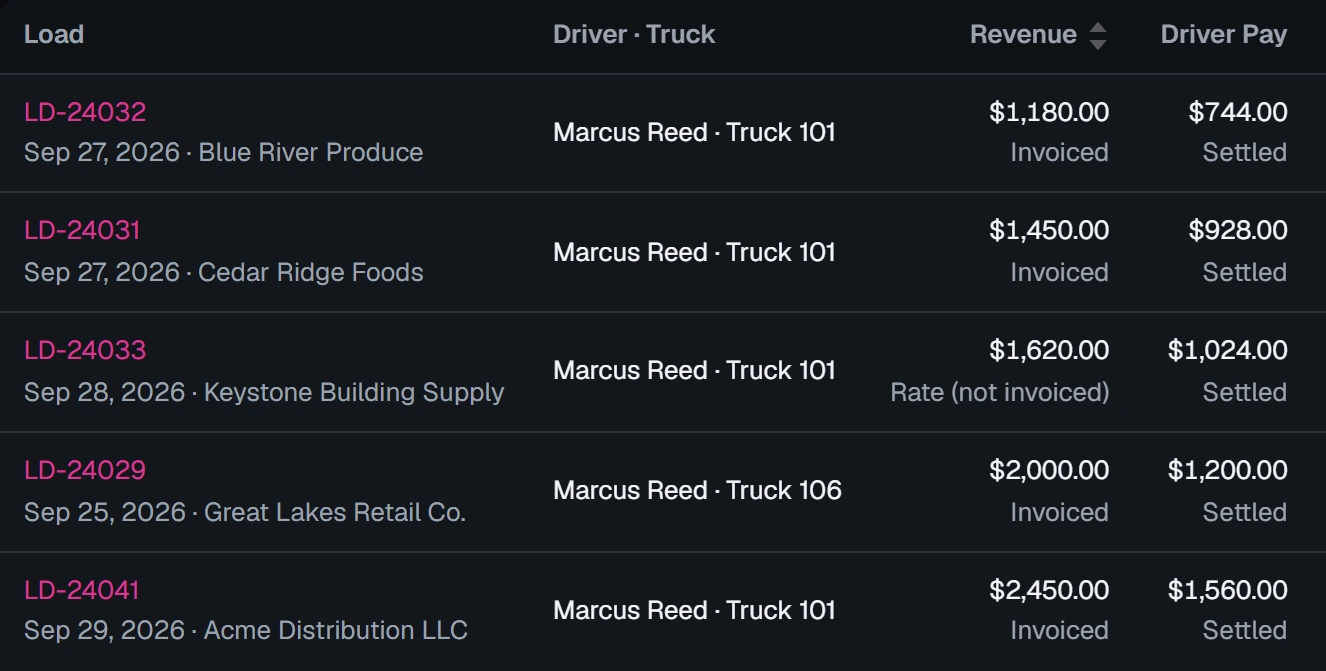
Sees the whole operation in one place, from loads on the road to what each one earned.
- Every operations and finance page
- Team, company settings and document branding
- Receivables and profitability at a glance
Day to day
Built for the way a carrier office runs.
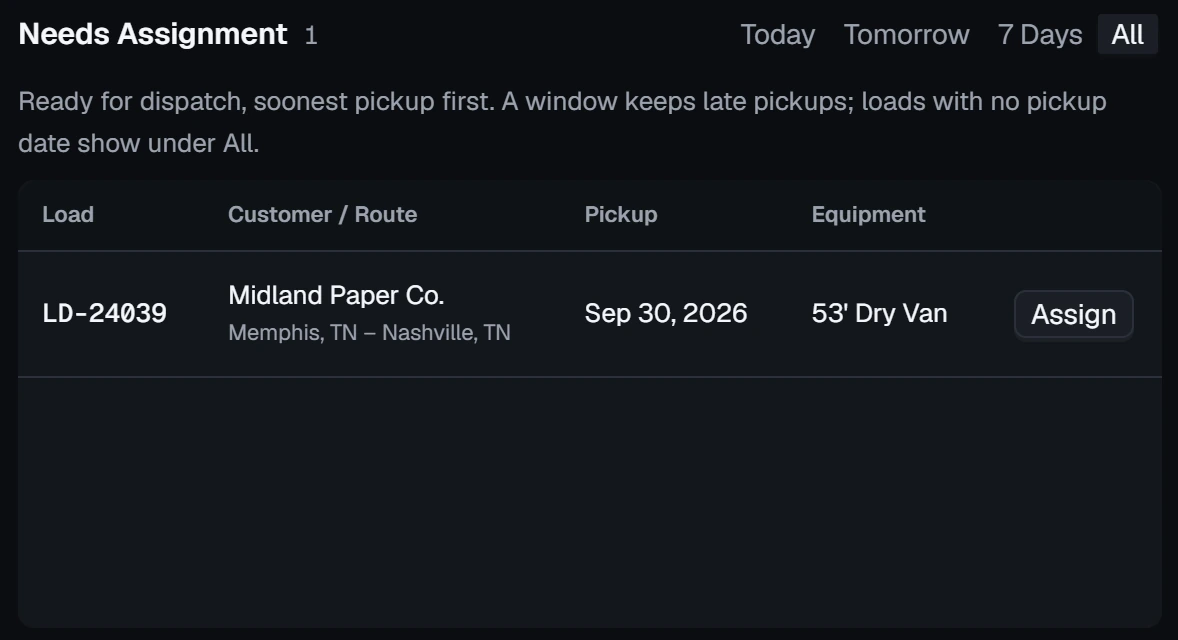
Needs Attention
What is blocking work, most urgent first.
Notifications
Reminders and reviews, sent to the right role.
Search
Find any load, customer, driver or invoice.
Any screen
Computer, tablet or phone. No app to install.
CSV import and export
Bring in customers, drivers, trucks and trailers.
Audit trail
Who changed what, on every record.
Your branding
Your name, logo and color on invoices.
Accessible
Text to 200%, high contrast, reduced motion.
Where we are
CargoRoute is onboarding its first carriers.
There are no customer logos or testimonials on this page because we have not earned them yet. Until we have, the demo is the proof: the same workflows shown here, there to click through.
Available today
- CSV import for customers, drivers, trucks and trailers
- CSV export from the main lists and finance reports
- National Weather Service forecasts and alerts on loads
Planned, not available yet
- QuickBooks integration
- ELD integrations
- IFTA reporting
- Factoring workflows
Planned means planned. No dates are promised here, and nothing on that list should decide a purchase today.
Pricing
Simple pricing for small and growing carriers.
Final pricing depends on the size of your fleet and what your operation needs. Tell us about your trucks and we will quote it before you commit to anything.
- Click through the demo on your own
- Tell us how many trucks and drivers you run
- Get a quote before you commit to anything
Invite-only early access
Starting at $100/month.
For a quote, write to support@cargoroutetms.com.
FAQ
Questions buyers ask.
Short answers, including the ones where the answer is no.
What is CargoRoute, and what does it manage?
CargoRoute is a transportation management system (TMS) for small and growing trucking carriers that run their own trucks. It is not built for freight brokers. It manages customers, loads and dispatch; drivers and equipment; documents and expiration dates; invoices, payments and settlements; and fuel, tolls and profitability reports.
Can drivers, dispatch and accounting use the same system?
Yes. Everyone signs in to the same workspace, and each role sees only its own pages. Dispatchers work on loads and assignments, accounting on invoices, payments and settlements, and drivers use their phone's browser to move their own loads forward and submit proof of delivery. There is no app to install.
How much does it cost?
Starting at $100/month. Final pricing depends on the size of your fleet and what your operation needs, and we quote it before you commit to anything.
Can I sign up for CargoRoute?
CargoRoute is currently invite-only while we onboard our first carriers. Contact us at support@cargoroutetms.com to request access.
Does CargoRoute handle IFTA reporting or factoring?
No, not yet. CargoRoute records each load's miles and each fuel purchase with its gallons and state, but not miles by state, so it cannot prepare an IFTA return. You can invoice customers and record what they pay, but there are no factoring workflows: no schedule of invoices for a factor and no notice of assignment. Both are planned.
Does CargoRoute connect to QuickBooks, ELDs or other systems?
Not today. No accounting, ELD, fuel card or load board integration is live. CargoRoute handles the work before your books and does not sync with them: invoices, expenses and settlements can be exported as CSV files. Load status comes from the driver's phone. QuickBooks and ELD integrations are planned.
Who can see our data?
Only the people you invite to your company's workspace, each limited to what their role needs. A driver sees their own loads and never customer rates. Your operational data stays yours. What we do to protect it, and what we do not claim, is written out in plain terms.
Free tools
Free trucking calculators.
Work out a load's profit, your cost per mile or the rate you need to charge. No account: each one runs in your browser, and nothing you type is sent.
- Load Profit CalculatorCalculate profit, rate per mile and break-even rate for a single load.
- Rate Per Mile CalculatorCalculate a load's rate per loaded mile and per total mile, with deadhead counted.
- Cost Per Mile CalculatorCalculate your trucking cost per mile and break-even rate from the costs you enter.
- Break-Even Rate CalculatorFind the rate per mile that covers your costs, and the rate that leaves your margin.
- Trucking Invoice GeneratorCreate a professional freight invoice without an account.
- IFTA CalculatorEstimate quarterly fuel-tax liability by jurisdiction.
Next step
Want to run your operation on CargoRoute?
We're currently onboarding carriers by invitation.
Starting at $100/month.
Or write to support@cargoroutetms.com